Assign tenant to a unit
When your asset has more than one unit, or when there are multiple buildings on a single lot, you have the option to add identifiers using the "Spaces" feature. Within units, you can assign and unassign tenants.
Step 1: Click on "Edit details" on the top right-hand side of the screen.
Step 2: Go to the tab "Spaces," where you can see existing units or add new.
Step 3: Click on the three-dotted icon on the unit you want to assign a tenant to, and click on Change tenant.
Step 4: Select the new tenant in the dropdown menu.
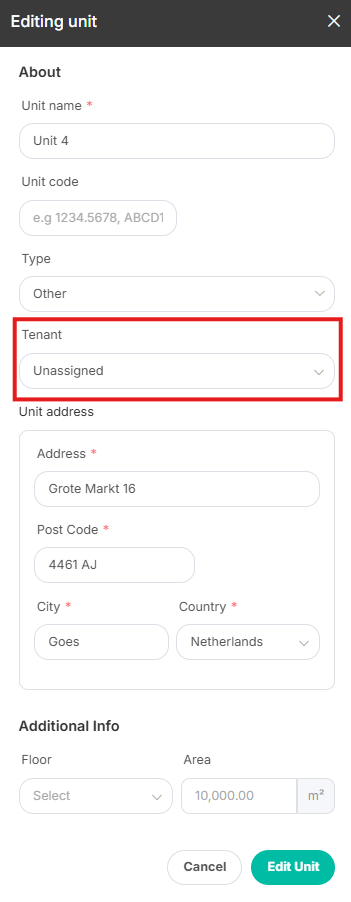
Step 5: If you want to unassign a tenant, click on Edit info.
Step 6: Within the dropdown menu, select "Unassigned" and click on Edit unit.
If you have any questions, please contact our Support team.