Ticket resolution survey
Ticket resolution survey is a way to collect satisfaction feedback from tenants once their tickets have been resolved. To enable it for your company, please follow the steps below.
Step 1: Click on your initials on the bottom left-hand corner of the screen, and go to Company Settings.
Step 2: Navigate to the tab "Setup," and click on "Ticket resolution survey."
Step 3: By default, this feature is turned off. To enable it, click on "Yes" and save changes.
Step 4: Within "Preview," click on E-mail or Survey to preview what the tenant will receive.
E-mail preview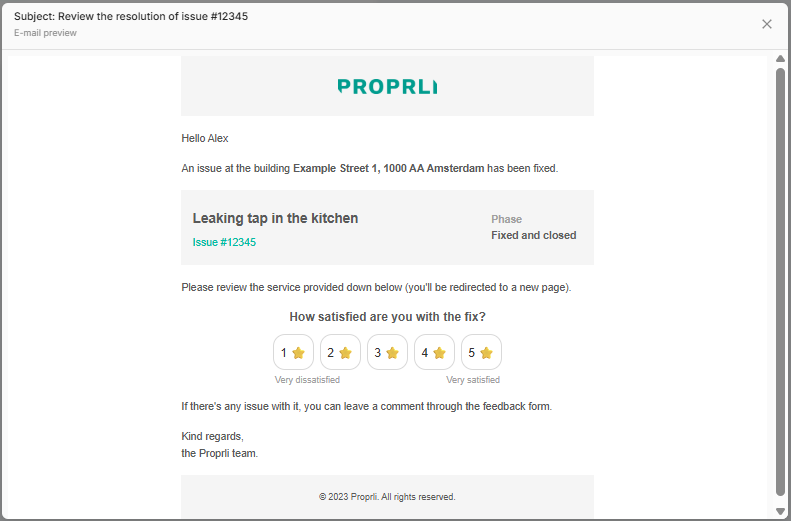 Survey
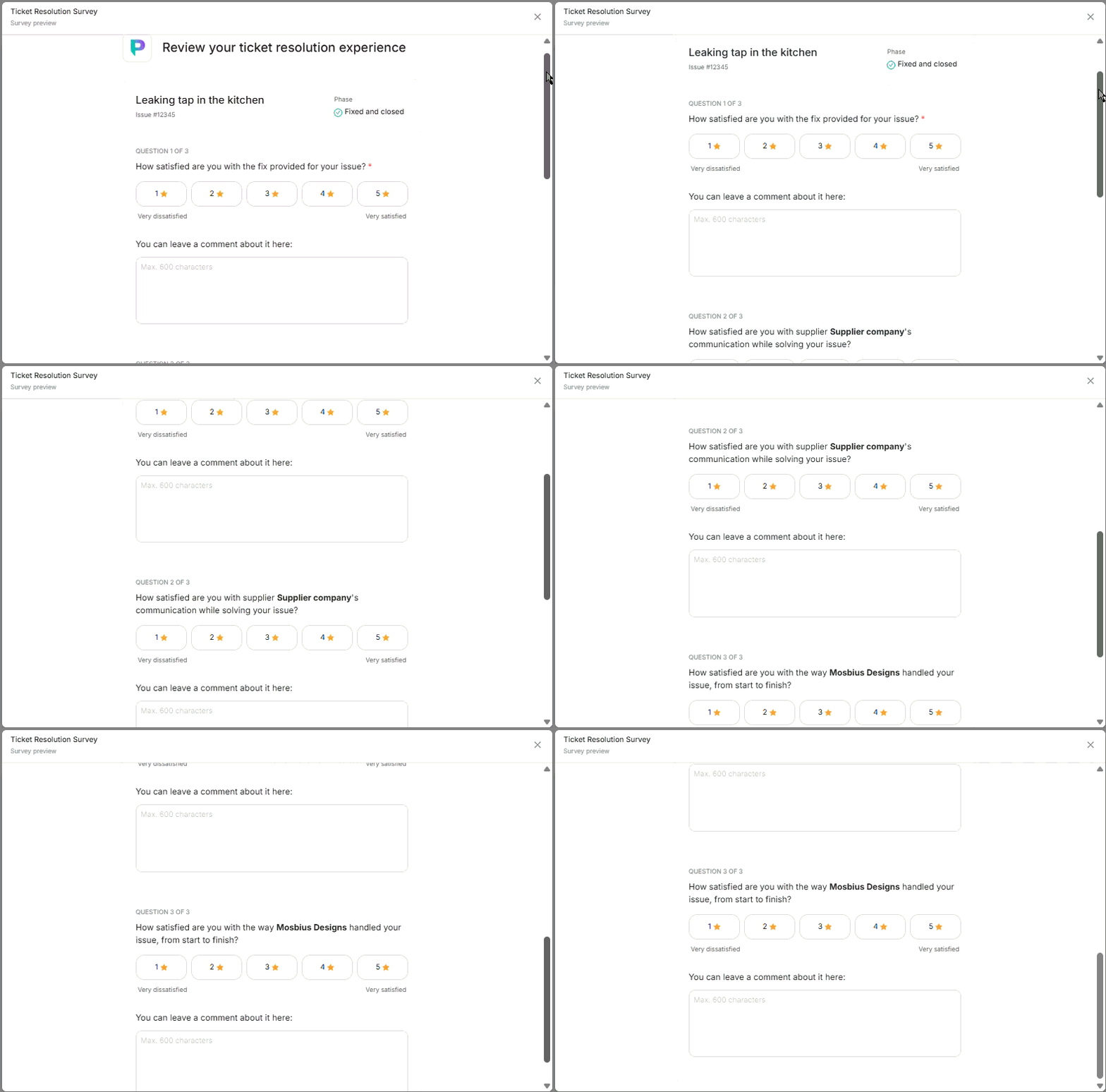
Once the ticket is marked as "Fixed and closed," the survey will be sent to the tenant. Please note that the surveys will only be sent in "Fixed and closed" tickets that have a tenant assigned to it.
After replying to the survey, the tenant's review will appear for the internal team on the ticket page. The tenant has two months to reply to the survey.
If you have any questions, please contact our Support team.